
TaxAct Online Premier Import
You can directly import 1099-B data from FORM8949.COM into TaxAct Online Premier edition.
However, as of March 2026, TaxAct DOES NOT SUPPORT DIRECT IMPORT of Digital Asset (1099-DA) transactions.
1099-DA (Digital Asset) Data
It is necessary to enter the totals for digital assets and attach a Form 8949 statement generated by our app.
Excerpts from TaxAct Help are included below.
Form 1099-DA - Entering Transactions
You will receive Form 1099-DA when you sell, exchange, or otherwise dispose of a digital asset. There are several options that you can use to enter transactions and information from Form 1099-DA. Once entered, the TaxAct program will complete Form 8949, Schedule D Capital Gains and Losses, and Form 1040, as applicable.
Enter Totals and Attach Form 8949 as a PDF
To report the totals for transactions, follow the steps below.
Online — Dashboard
From within your TaxAct return, click Resources.
Under My Return, click Federal Search.
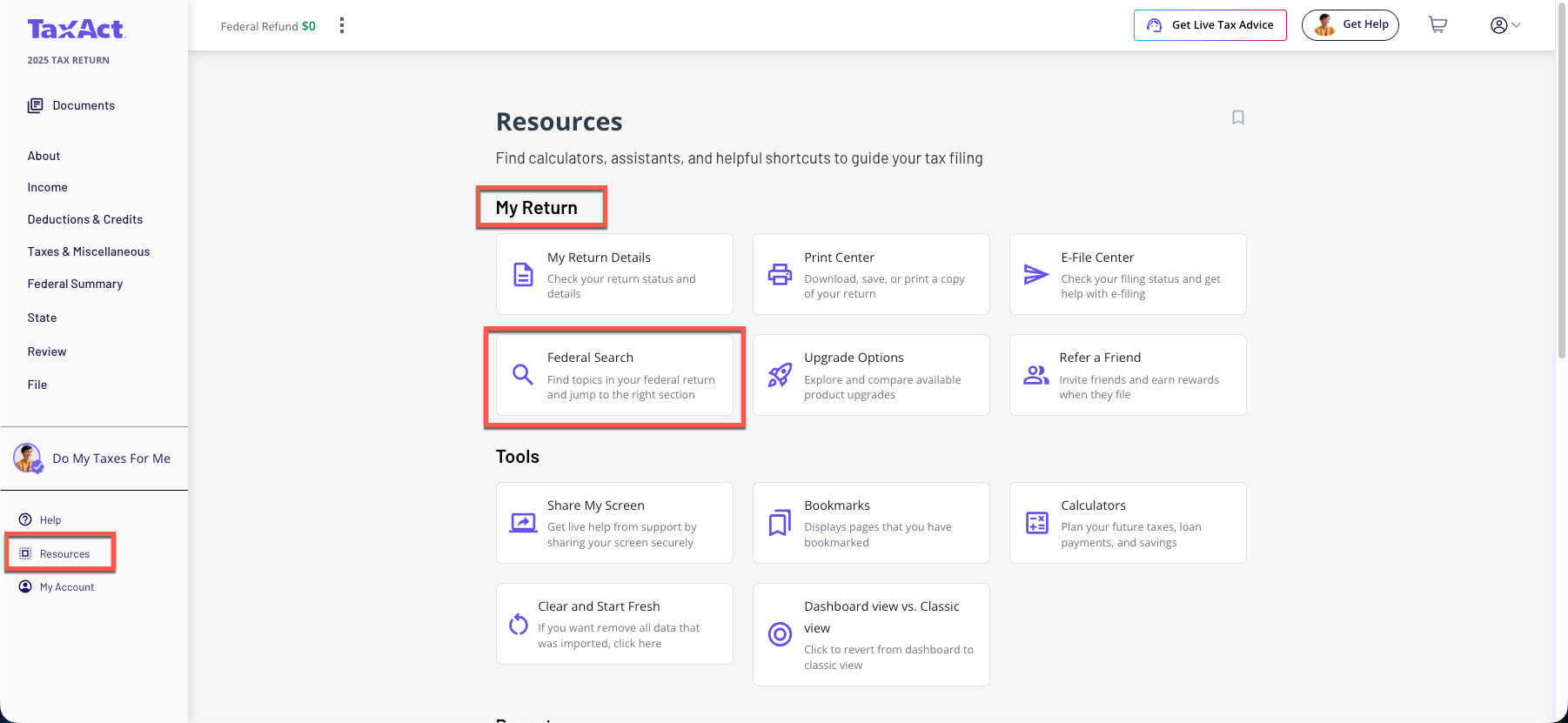
On smaller devices, click the menu at the top left corner of your screen, then make your selection.
Click the Investment Income drop-down, and then click Gain or loss on the sale of investments and then Enter totals from a statement of transactions you will attach to your return.
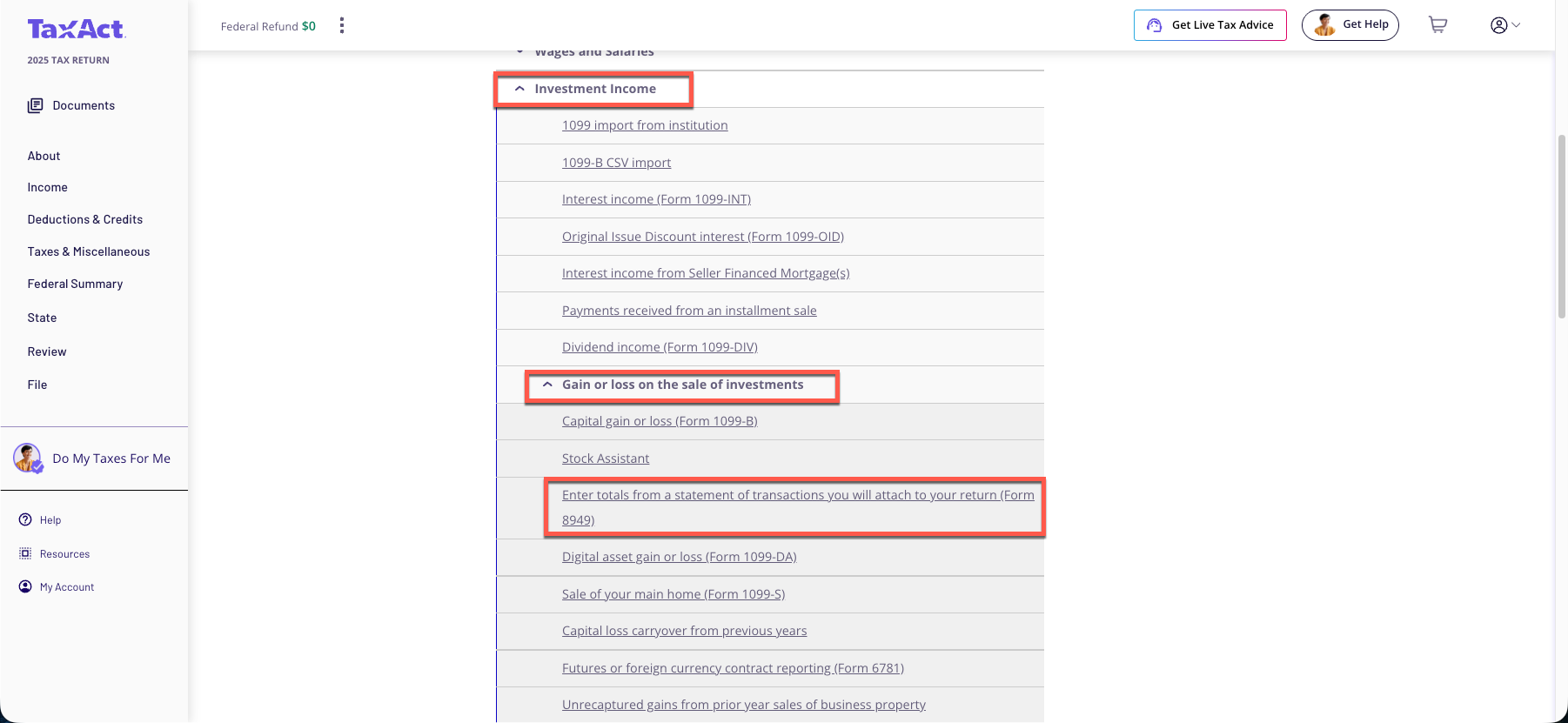
Complete the rest of the interview process.
During the filing process, you will be prompted to attach your PDF. If you're unable to attach the PDF, you must mail Form 8453 along with the attachment. For paper returns, simply include the Form 8949 summaries in your mailing.
Online — Classic
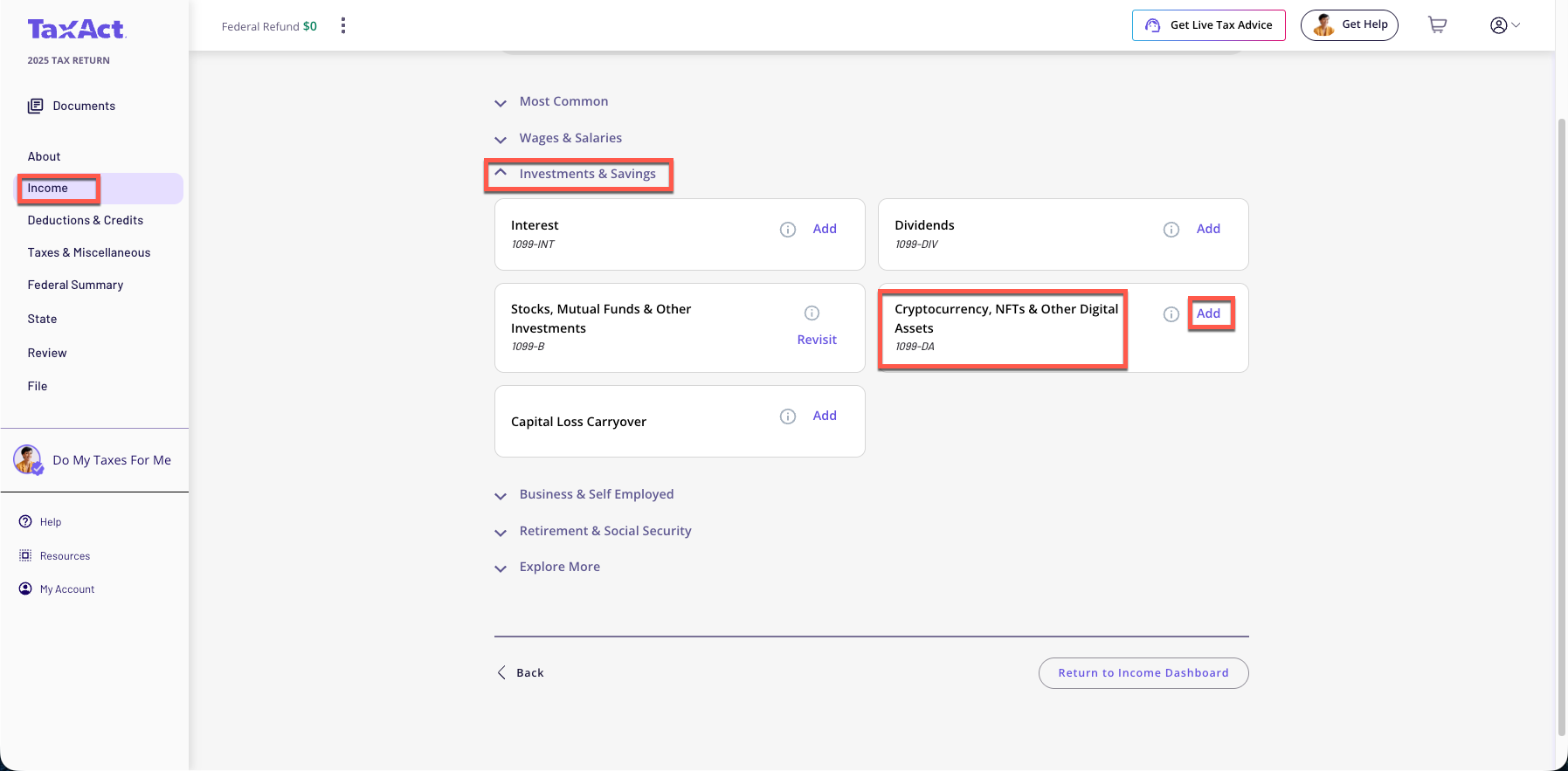
From within your TaxAct return, click Income.
Click the Investment & Savings drop-down, and then click Cryptocurrency, NFTs, & Other Digital Assets - Add
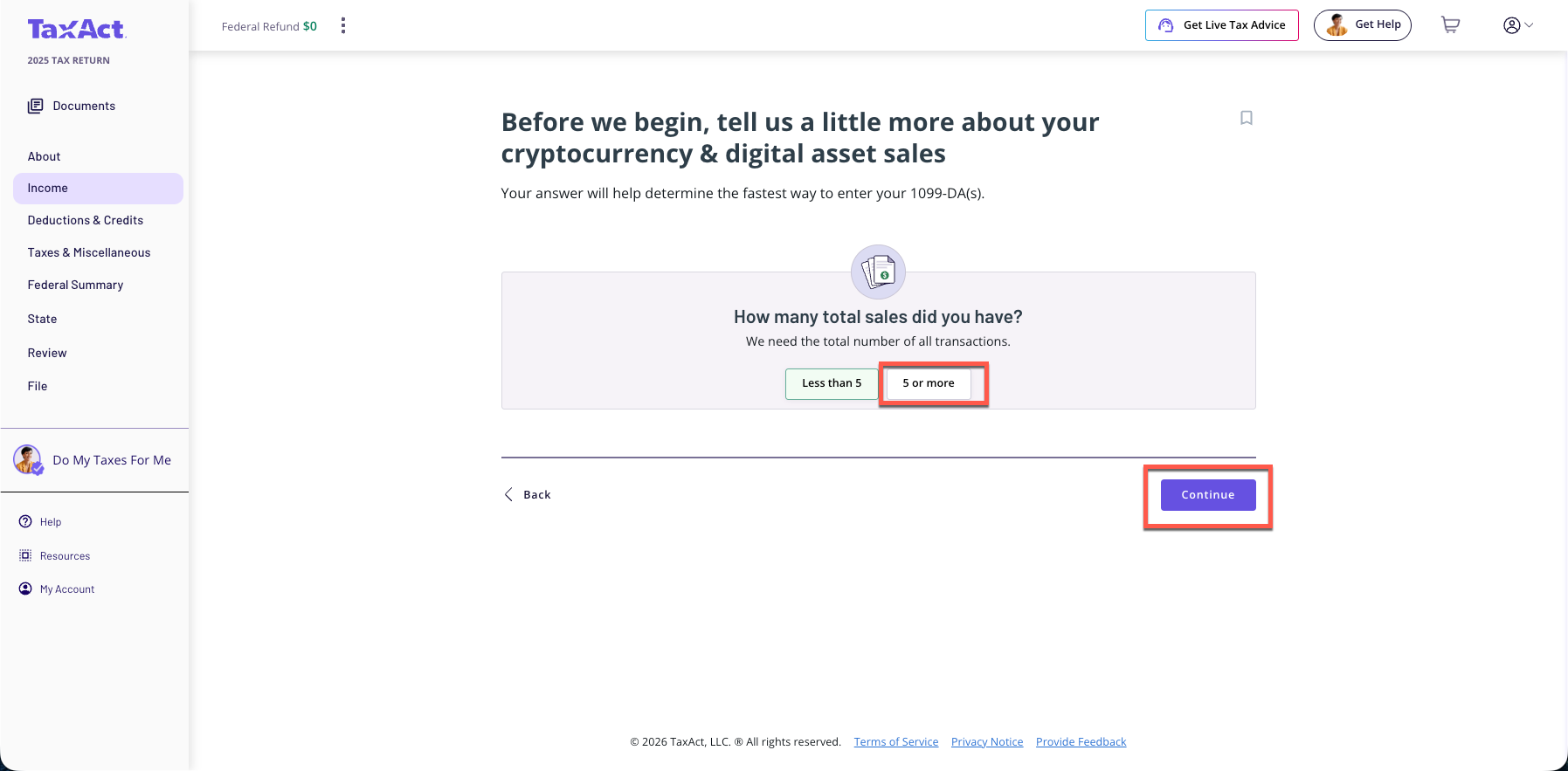
On the next screen, Click '5 or more'and then Click 'Continue'
On the next screen, Click 'Enter My Sales Totals'
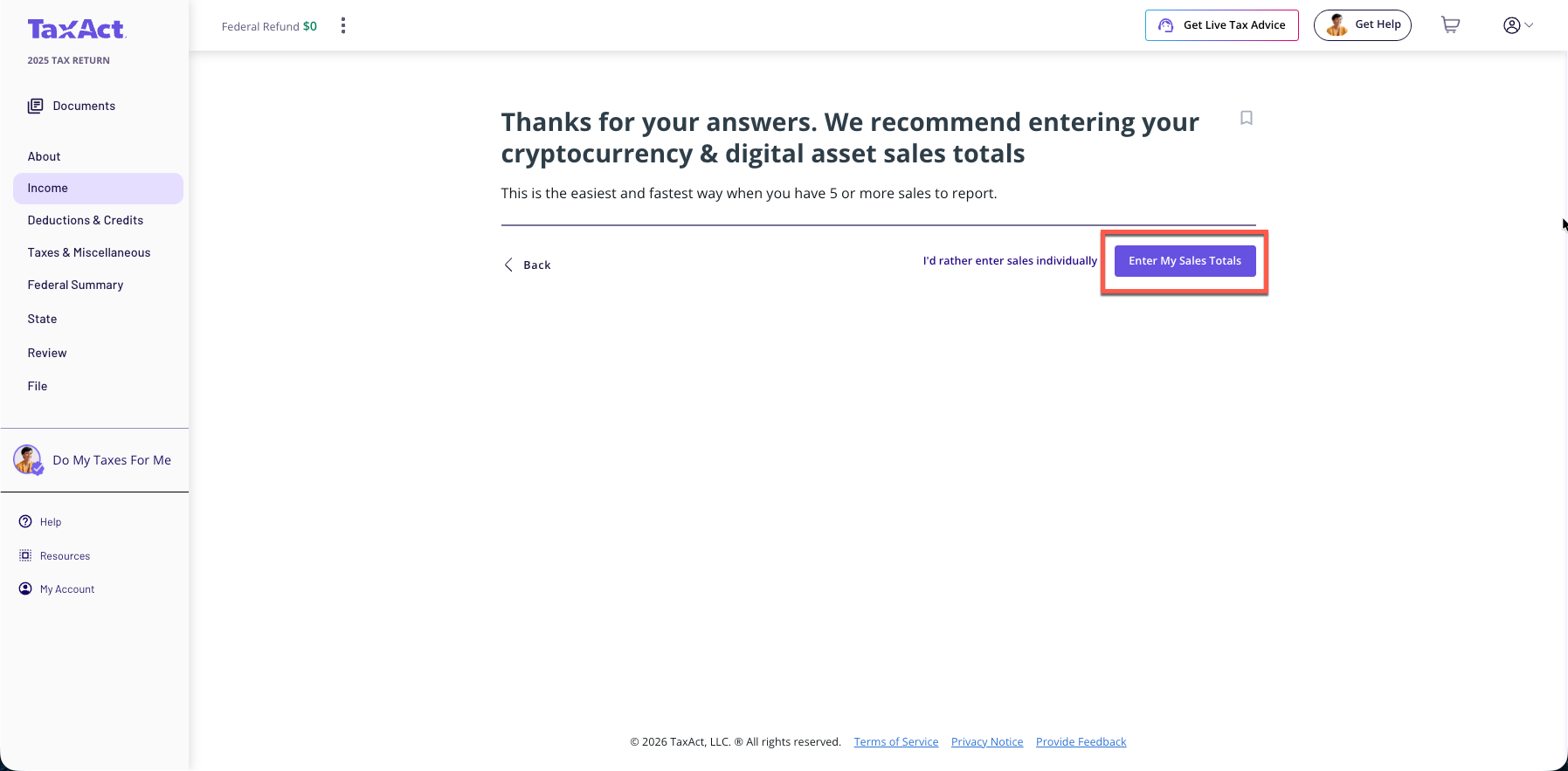
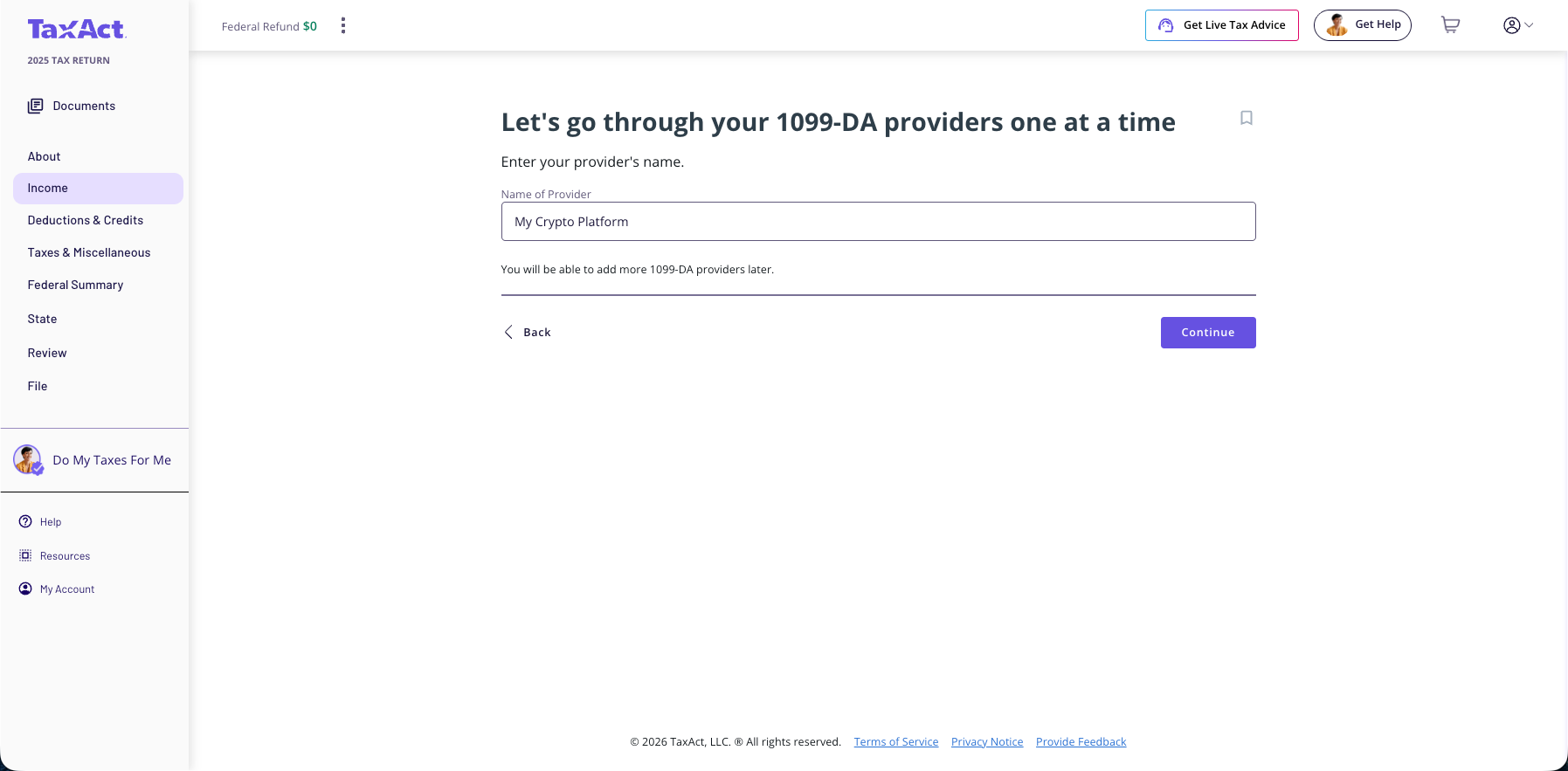
On the next screen, Enter the name of your 1099-DA provider and Click 'Continue'
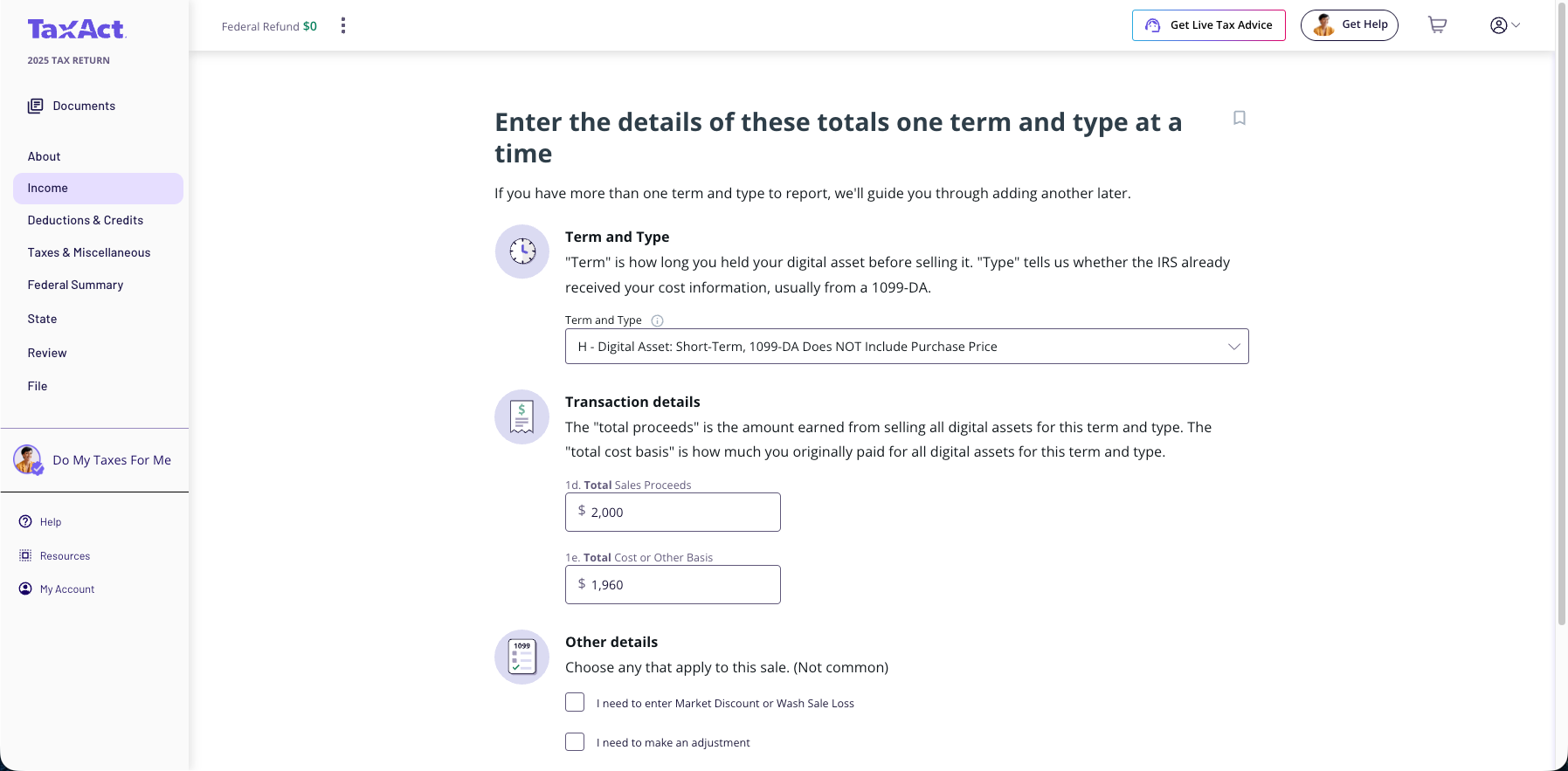
On the next screen, Enter the totals for the code (G, H, I, J, K, or L) and Click 'Continue'
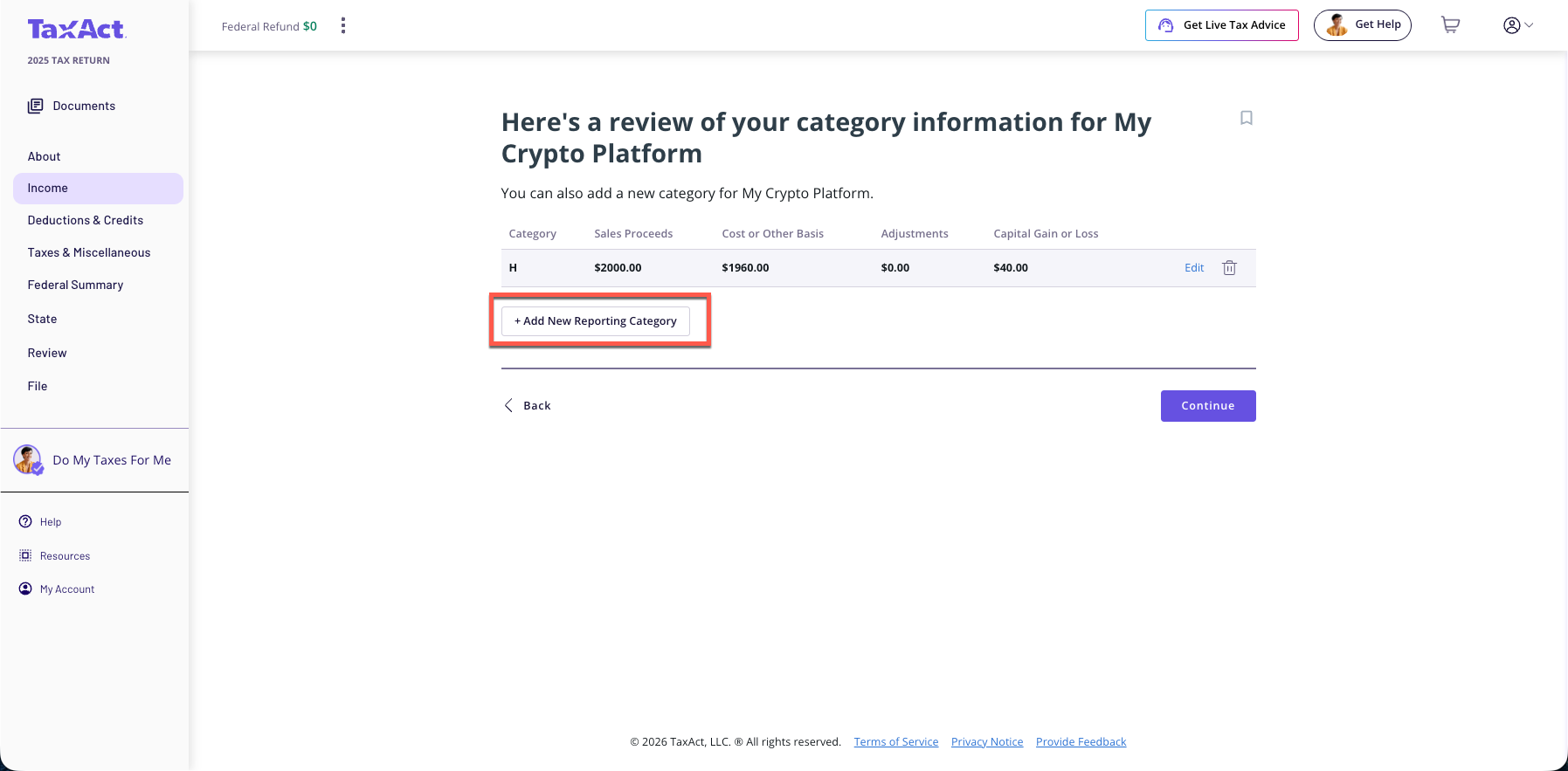
Repeat the process for each code (also known as reporting category)
During the filing process, you will be prompted to attach your PDF. If you're unable to attach the PDF, you must mail Form 8453 along with the attachment. For paper returns, simply include the Form 8949 summaries in your mailing.
Desktop
From within your TaxAct return, click Federal.
Click the Investment Income drop-down, and then click Gain or loss on the sale of investments and then Enter totals from a statement of transactions you will attach to your return.
Complete the remaining entries.
During the filing process, you will be prompted to attach your PDF. If you're unable to attach the PDF, you must mail Form 8453 along with the attachment. For paper returns, simply include the Form 8949 summaries in your mailing.
1099-B (Stocks, Options, etc.) Data
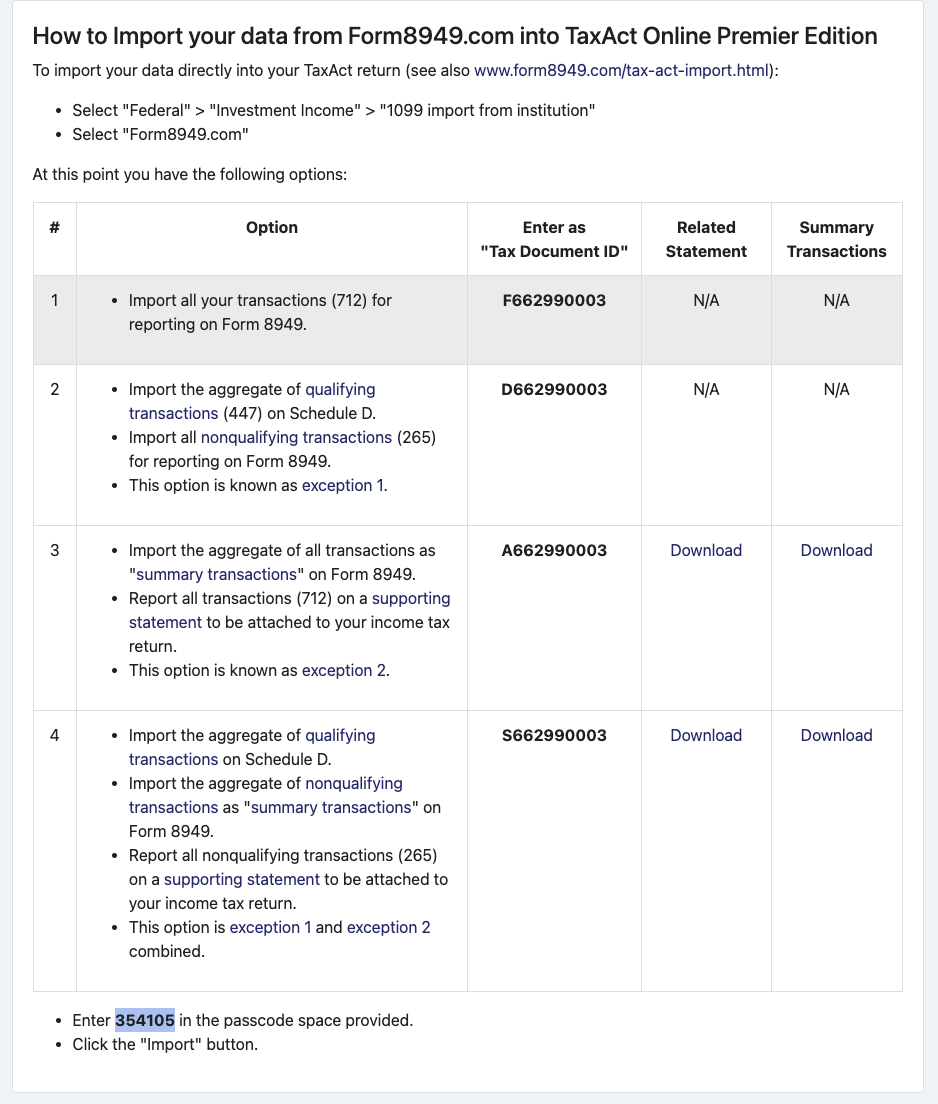
Go to the Taxes > TaxAct screen in the app. There the app will provide you with your specific import codes.
Sample Taxes screen. (Your codes will be different.)
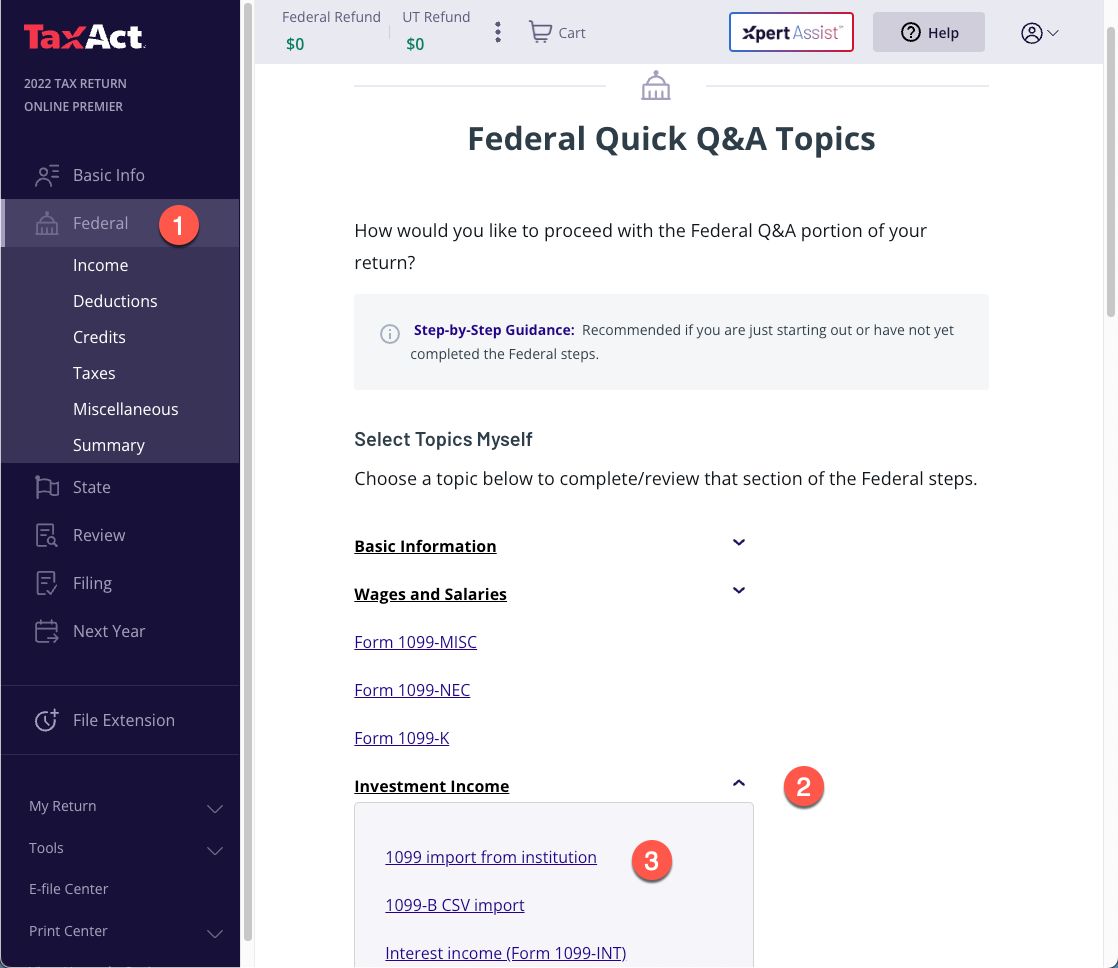
1. Select "Income" > "Stocks, Mutual Funds & Other Investments" > "Add".
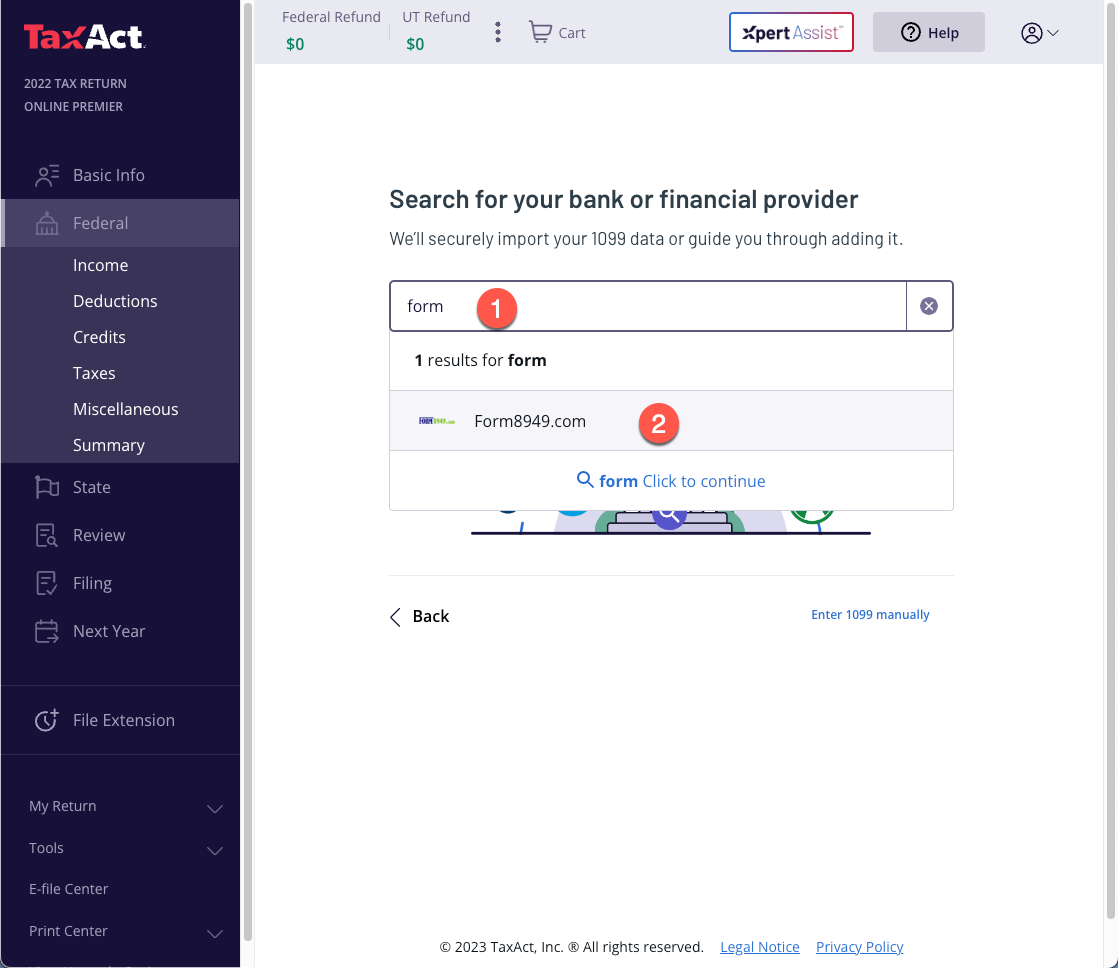
2. Enter "form" in the search box, then select "Form8949.com"
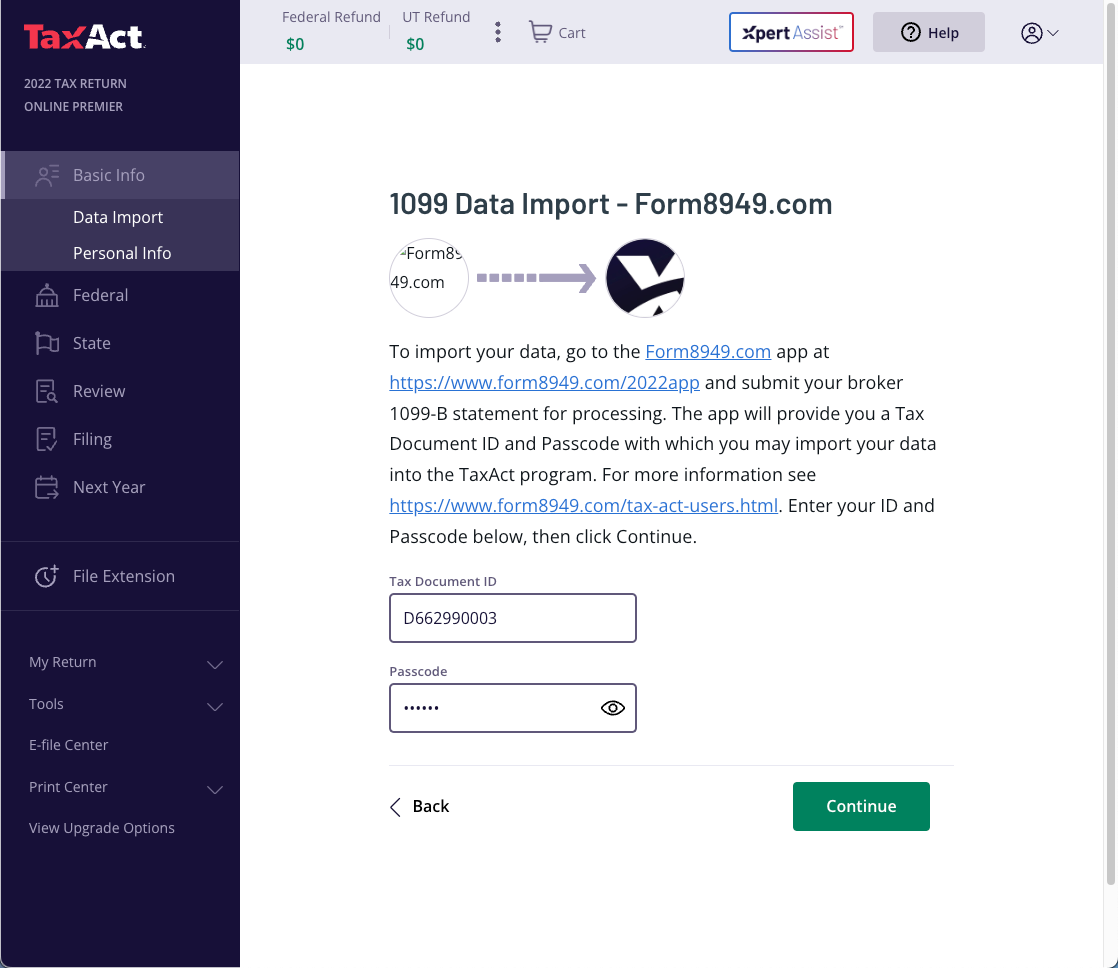
3. In 'Assigned Tax Document ID' and 'Tax Document Code' (also known as Passcode) fields, enter the codes provided you in the Form8949.com app as seen above. Then click "Continue".
Note: You may use the code starting with "F" to import all detail transactions or the code starting with "D" to aggregate qualifying transactions. Since TaxAct will automatically aggregates qualifying transactions, the results reported on Schedule D and Form 8949 should be the same either way. However, since TaxAct rounds to whole dollar amounts, a rounding difference may occur. We recommend using the code starting with "D".
4. TaxAct will show a list of the imported transactions on a subsequent screen.